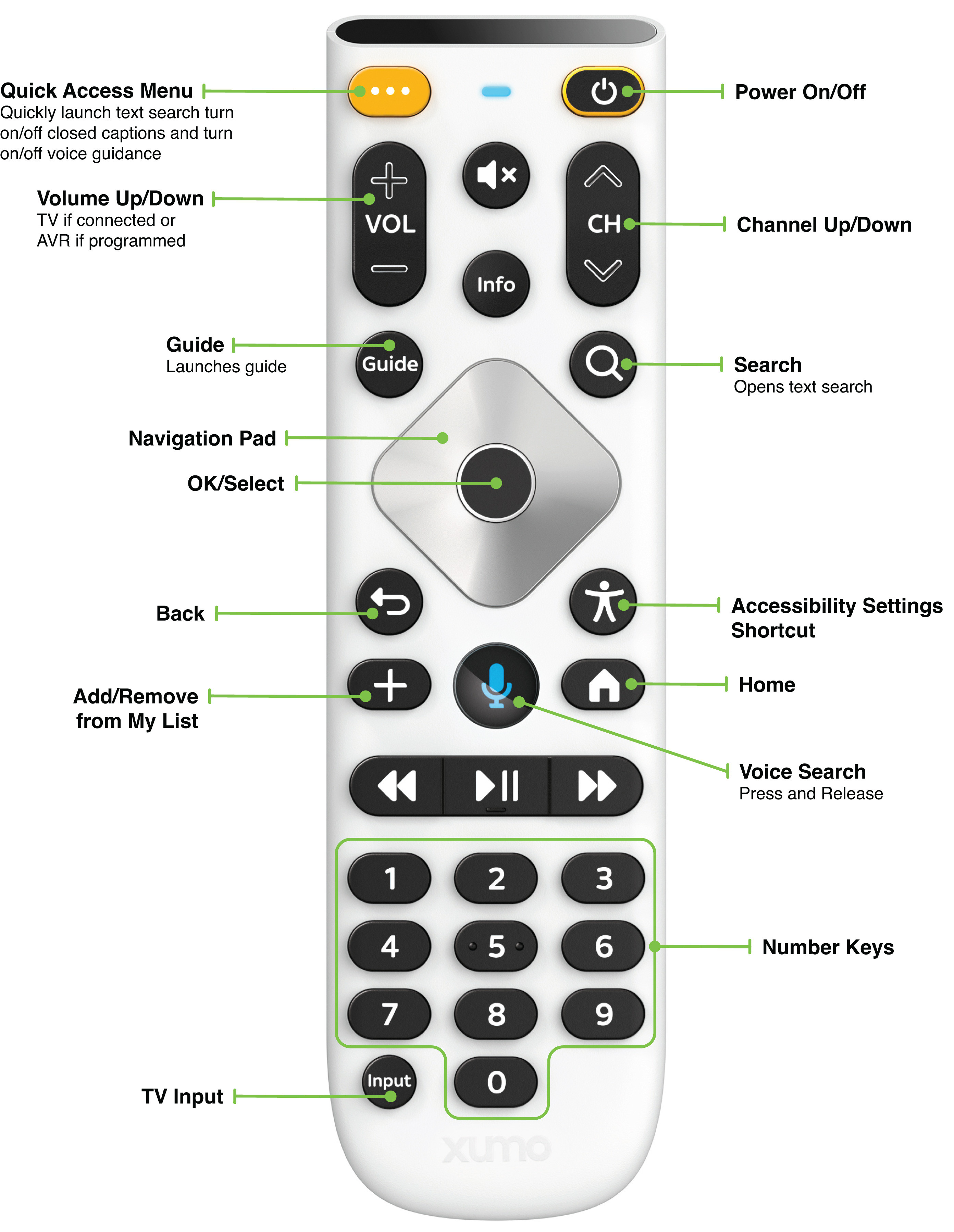
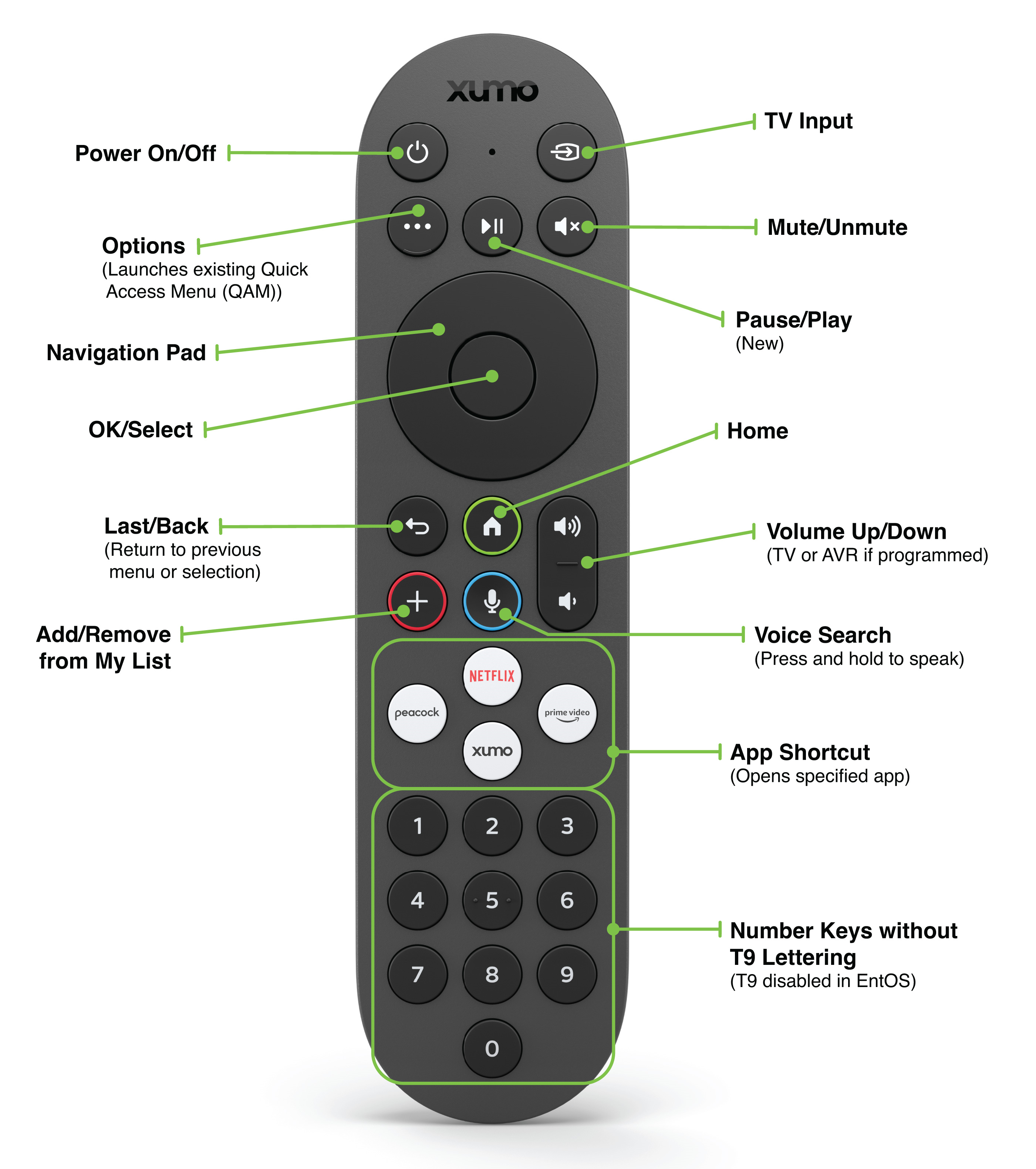
Once again, thank you for staying with me on this. I suspect we are talking about two different remotes. As I’ve stated, once stuck in that loop the Back button does nothing. As for voice recognition, I have two ABC affiliates and two NBC affiliates in my viewing area and they both appear in the program guide. So stating ABC just causes confusion. Badly written code. Voice recognition should be able to understand and differentiate WFLA, WFLATV. WTVT or WFTS. And lastly there is no Gear button, nor settings icon, nor settings menu choice. I’m attempting to attach a picture to this note, but I don’t know if it will appear. If you navigate to [https://www.spectrum.com/cable-tv/streaming/xumo](https://) the gear button is pictured top right of the remote, but my remote has a screen icon with an arrow and it is what controls the HDMI input choice. Also there appears to be two additional buttons at the very top edge of the control that my remote does not have. I also might add that your description of the HDMI menu architecture doesn’t jibe with my remote either. If I use the TV remote, an LG 70 inch 2022 model, I can arrow left and right on the HDMI input screen and if I select the HDMI input that I’m already using, the menu just folds down as it should. As a reminder, the XUMO only scrolls right and if you mistakenly select the input you’re already on, the menu just hangs there until you go around the choices again, select the input and the menu folds down. Again, just badly written code. And not to kick a crippled horse, but everything is slow. Select a channel and watch the 3 dots dance around for a while until it changes. Same software on the Roku Ultra and everything is crisp and quick. From my ancient days of coding, if I were to guess, the Spectrum code was written for something else and has been shoehorned into the XUMO, with hardware tweaks made to accomodate the code interpretation shortcomings. Anyhow, again thanks, and again there is no gear button.
Last but not least, is there a way to attach an image to a post? COuld savve the traditional 10,000 words if I could post the two remotes side by side.
I just expanded the Spectrum photo. The slim button on the top edge left is Input and top edge right is Power. Neither of those buttons are on my remote.