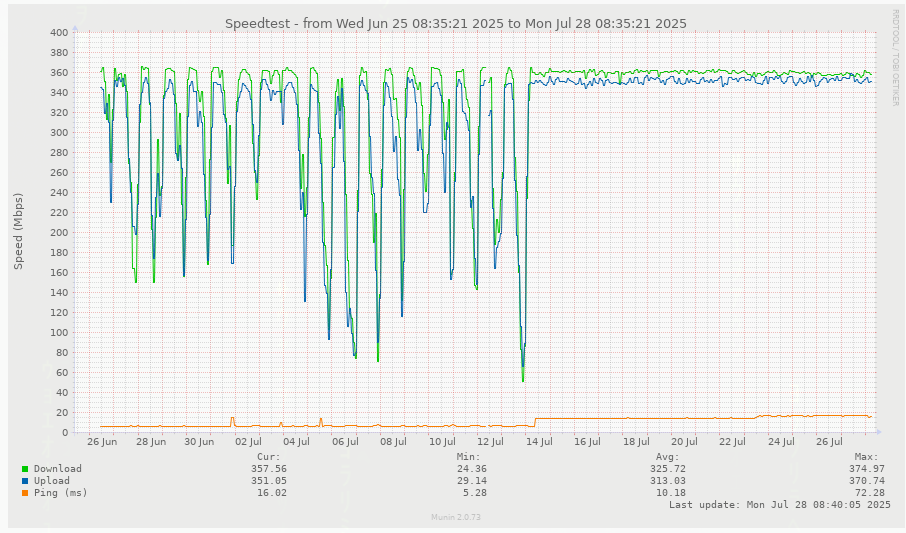
Can you try this utility ?
It can use TCP instead of ICMP. Here’s an quick example (many options available):
psping.exe -4 google.ca:80
PsPing v2.12 - PsPing - ping, latency, bandwidth measurement utility
Copyright (C) 2012-2023 Mark Russinovich
Sysinternals - www.sysinternals.com
TCP connect to 142.250.69.67:80:
5 iterations (warmup 1) ping test:
Connecting to 142.250.69.67:80 (warmup): from 192.168.57.187:56145: 3.94ms
Connecting to 142.250.69.67:80: from 192.168.57.187:56146: 3.98ms
Connecting to 142.250.69.67:80: from 192.168.57.187:56147: 3.43ms
Connecting to 142.250.69.67:80: from 192.168.57.187:56148: 3.25ms
Connecting to 142.250.69.67:80: from 192.168.57.187:56149: 3.63ms
TCP connect statistics for 142.250.69.67:80:
Sent = 4, Received = 4, Lost = 0 (0% loss),
Minimum = 3.25ms, Maximum = 3.98ms, Average = 3.57ms/
If you need the timestamp, you can use this method (PowerShell):
.\psping.exe -t -4 -i 5 google.ca:80 | ForEach-Object { "{0} - {1}" -f (Get-Date), $_ }
2025-07-11 11:39:14 -
2025-07-11 11:39:14 - PsPing v2.12 - PsPing - ping, latency, bandwidth measurement utility
2025-07-11 11:39:14 - Copyright (C) 2012-2023 Mark Russinovich
2025-07-11 11:39:14 - Sysinternals - www.sysinternals.com
2025-07-11 11:39:14 -
2025-07-11 11:39:14 - TCP connect to 142.250.69.67:80:
2025-07-11 11:39:14 - Infinite iterations (warmup 1) ping test:
2025-07-11 11:39:14 - Connecting to 142.250.69.67:80 (warmup): from 192.168.57.187:57677: 3.65ms
2025-07-11 11:39:19 - Connecting to 142.250.69.67:80: from 192.168.57.187:57681: 3.68ms
2025-07-11 11:39:24 - Connecting to 142.250.69.67:80: from 192.168.57.187:57682: 3.26ms
2025-07-11 11:39:29 - Connecting to 142.250.69.67:80: from 192.168.57.187:57683: 3.90ms
2025-07-11 11:39:34 - Connecting to 142.250.69.67:80: from 192.168.57.187:57685: 4.58ms
2025-07-11 11:39:39 - Connecting to 142.250.69.67:80: from 192.168.57.187:57686: 4.21ms
2025-07-11 11:39:44 - Connecting to 142.250.69.67:80: from 192.168.57.187:57687: 5.30ms