ZZZZZZZ 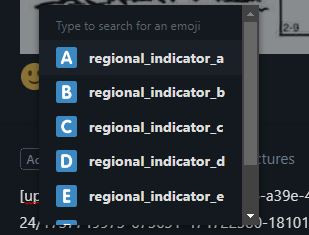
What's this dialogue box for......I get it when I click the insert emoji icon in a post?
Kathy_9 ZZZZZZZ Not sure about all the regional indicators; just ignore them and start typing the emoticon you want to see (smile, frown, wink, etc.) and it will appear for you to select.
Adding to what Kathy_9 said - It's not a very intuitive pop-up for adding emojis.
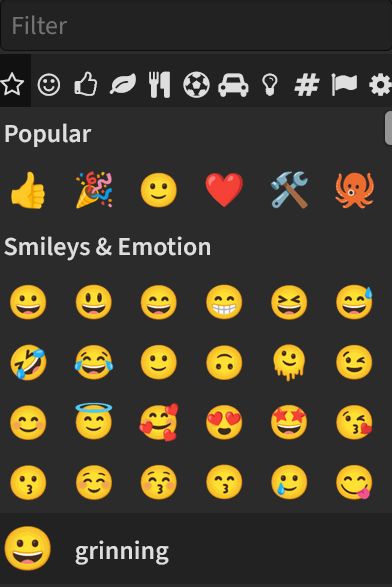
Click on the 🙂 icon (insert emoji) in the bottom-right of the post edit area. Or, type ":" to launch the pop-up on its own.
Start typing to search for the emoji and watch the results as you type. It's not that obvious, as I had to use "smile" to search for the happy faces - "Happy" doesn't work.
The first selections as "regional_a" through "regional_g" are block letters. 🇦 🇧 🇨 ... 🇬